Network cabling diagnostics is a key stage in ensuring the stability and efficiency of telecommunications and computer networks. Issues such as interruptions, shorts, or incorrect wire arrangements in plugs can significantly reduce data transmission quality or completely prevent it. We have prepared a practical guide explaining how to conduct tests on RJ-45, RJ-11, and coax cables using testers from the Lanberg brand.
Check IT tools at Onninen warehouse
Why is network cabling testing important?
Cabling is the foundation of any telecommunications or computer network. Without proper connections, data transmission is unstable, and failures can occur even in new installations. This is why professional cable diagnostics is so important. Special IT tools – cable testers are used to test RJ-45, RJ-11, and coax cables. They offer installers and service technicians versatile diagnostics. They are inexpensive and very easy to use. They allow for quick and effective:
- checking the continuity of wires,
- identifying possible shorts and interruptions,
- finding incorrect wire pair arrangements,
- confirming correct pin configurations,
- checking the condition of coaxial cables.
Lanberg testers – invaluable support for installation and maintenance work
Lanberg is a brand of professional, reliable solutions in the field of active and passive network devices, peripheral cabling, and IT. The company's rich portfolio includes, among others, network cable testers designed for both experienced installers and ambitious home users.
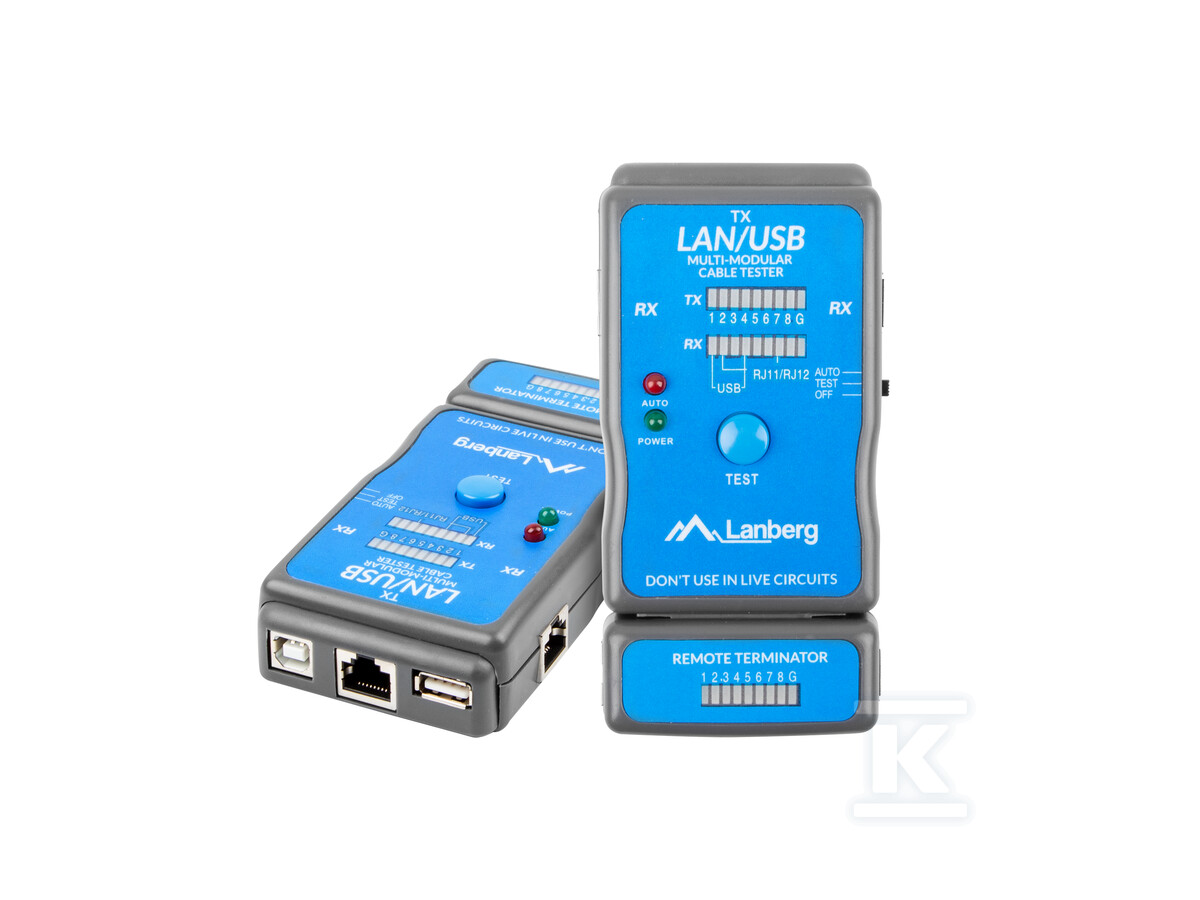
Lanberg NT-0403 cable tester is a lightweight and portable battery-operated device that allows for easy and quick verification of a given cable's functionality by testing its pins. It is suitable for diagnosing a wide range of cables: USB (A/A, A/B) 1.0, 1.1, and 2.0, RJ45, and RJ11/RJ12. The set includes necessary adapters (which are hidden in the battery compartment).
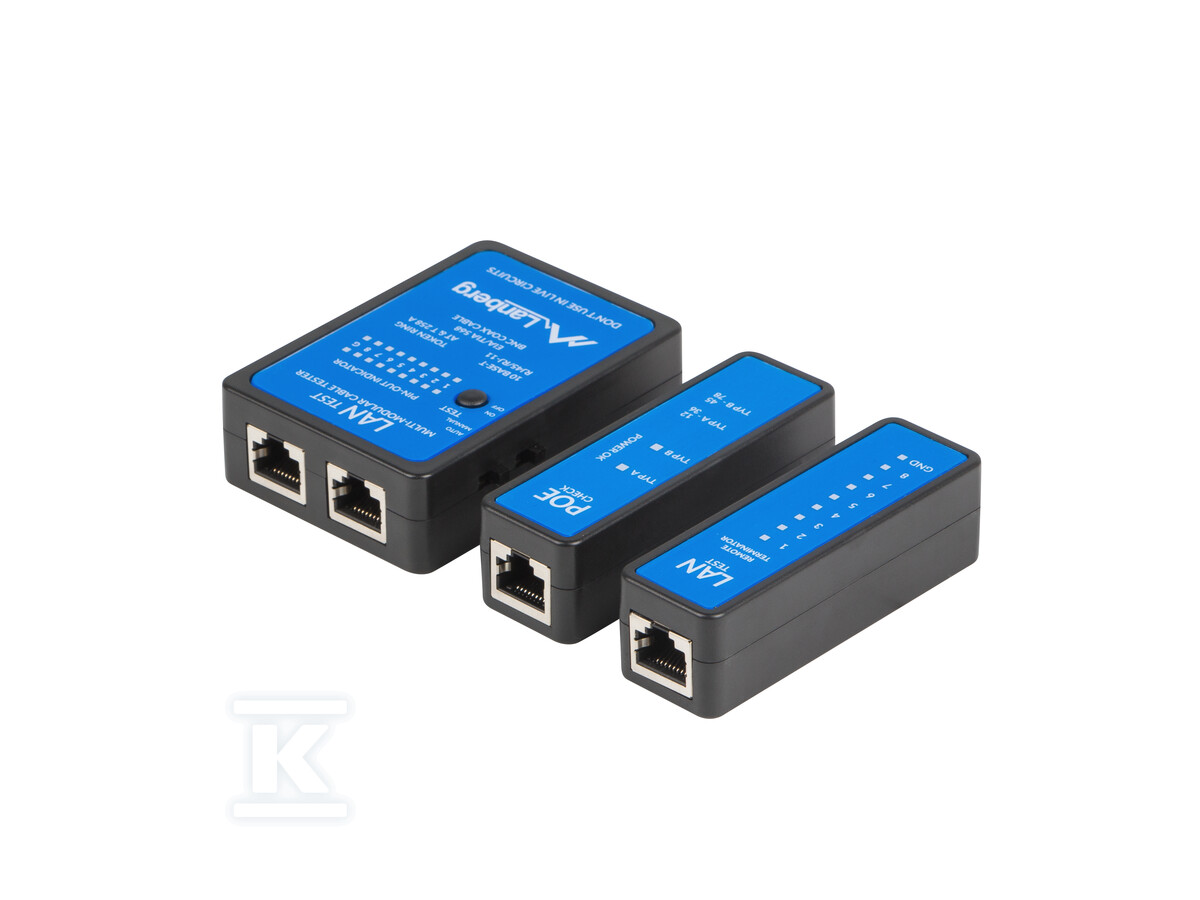
LAN and PoE cable tester Lanberg NT-0404 allows you to easily check the correct pin configuration of a wide range of cables: Ethernet 10Base-T and 10Base-2, modular RJ45/RJ11 cables, 258A, and TIA-568A/568B, and even Token Ring cables. The device works by comparing both ends of the cabling - the source and the signal-receiving end. The remote module allows the user to check the operation of cables whose ends are far apart, with one end reaching a surface-mounted socket or patch panel. This tester enables verification of cable continuity and detection of potential transmission problems caused, among other things, by shorts, incorrect pair/wire arrangements, or reversed connections of wires to pins. It is also used for grounding control. There are two scanning modes to choose from: automatic and manual. The device is battery-powered (9V battery – sold separately).
If you are looking for a tester mainly for measuring LAN cabling continuity, verifying connections, and detecting problems with shorts and incorrect pair connections, choose the Lanberg NT-0402 or NT-0401 cable tester. Both models consist of two parts, mounted at the ends of the tested cable: a tester with LEDs, connectors, and a switch, and a terminator with LEDs and connectors.
Practical cable testing using the Lanberg tester
- Prepare the tester for operation by inserting the appropriate battery.
- Connect the wires - attach the cable ends to the appropriate ports in the tester and terminator. Use the appropriate connectors/adapters.
- Select the test mode - automatic or manual. In the first case, the device will independently analyze the connection and indicate any problems.
- Read the result - the LED indicators signal which wires are correctly connected and which have a fault. If problems are detected, it is worth examining the cable along its entire length and carefully checking the end connections.
 Note! Each Lanberg cable tester comes with an instruction manual, which should be read before starting to test the cables. The tips contained in this guide are universal, so they may not apply to your device.
Summary
Network cabling diagnostics using modern Lanberg testers is a quick, simple, and reliable way to detect various types of faults. Thanks to the tester, the installer can save time, avoid costly installation mistakes, and ensure stable and safe network operation for their clients.