Series Elesa+ganter - GN417
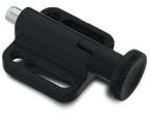
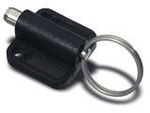
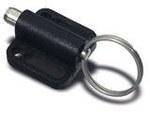
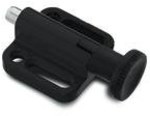
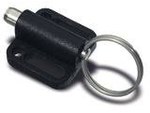
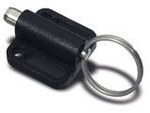
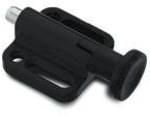
Elesa+ganter - GN417
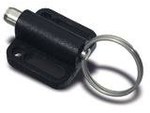
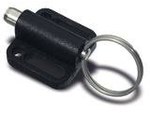
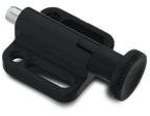
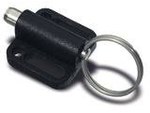
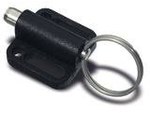
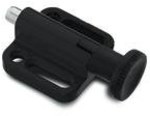
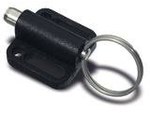
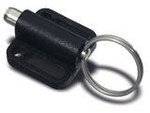
The Elesa+ganter GN417 series is a reliable line of mechanical pins designed for fast, secure mounting in electrical and plumbing projects. These pins are built to handle everyday installation demands while keeping your work organized and stable. Whether you are securing conduit brackets, mounting control panels, or fastening pipe supports, the GN417 range gives you a consistent, high-quality solution that installers can trust.
Understanding the GN 417 Pin Variants
Each pin in this series comes in three main types: A, B, and C. Type A is a standard straight pin for basic fastening. Type B includes a flanged head for better surface contact and easier alignment. Type C features a knurled or textured grip that locks firmly into place without slipping. The numbers in the product name, like GN 417-4, GN 417-6, or GN 417-10, tell you the pin diameter in millimeters. Pick the size that matches your pre-drilled hole and the weight of the material you are securing.
Why Installers Choose GN417 Pins
These mechanical components are made for speed and durability. The hardened steel construction resists bending and wear, even in tight spaces or high-vibration areas. The standardized design means you can swap sizes quickly without changing your tools. They work well with wood, metal, and plastic substrates commonly found in electrical enclosures and plumbing racks. Because they are sold in clear size groups, you can grab exactly what you need and get back to work without guesswork.
How to Select the Right Pin for Your Job
Start by measuring the hole diameter in your mounting surface. Match it to the GN 417 number (4 mm, 5 mm, 6 mm, 8 mm, or 10 mm). If you are mounting light fixtures or thin conduit clips, the 4 mm or 5 mm pins will usually be enough. For heavier pipe brackets or thick panel backs, move up to 8 mm or 10 mm. Choose Type A for quick inserts, Type B when you need a wider bearing surface, and Type C when you want a tighter, vibration-resistant hold. Always check that the pin length fits through your material without poking out the other side.
Simple Installation Steps
Clean the hole to remove dust or debris. Align the pin with the marked spot and press it in firmly by hand or with a light mallet tap. If using Type C, give it a few extra taps to set the grip. Double-check that the mounted part sits flush and does not wobble. For electrical panels, ensure the pin does not interfere with wiring paths. For plumbing supports, verify that the pin holds the bracket level before tightening any screws. With the right GN417 pin, your mounts stay secure and your job site stays safe.